
5-Week Live Course · $9.9 USD · ¥99 RMB

OpenClaw — Build Your Personal AI Agent

Five Saturday sessions · 1:00 PM Pacific (PDT) · 60 minutes each. OpenClaw + Telegram + Slack — powered by free-tier LLMs. No China account needed.

2026 cohort · Starts Saturday, April 11

  • Week 1 · Sat Apr 11, 2026
  • Week 2 · Sat Apr 18, 2026
  • Week 3 · Sat Apr 25, 2026
  • Week 4 · Sat May 2, 2026
  • Week 5 · Sat May 9, 2026
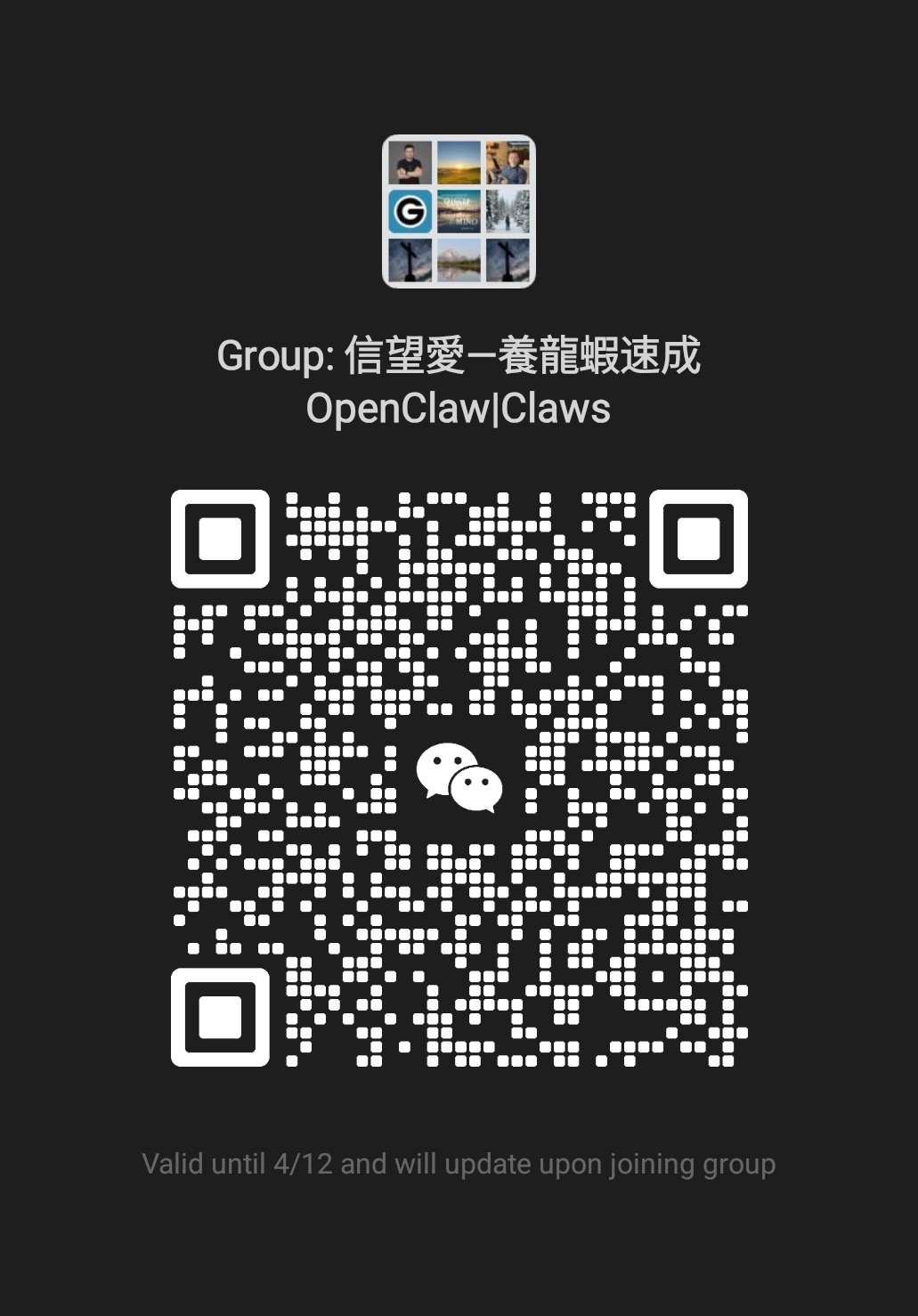
Join the course — scan WeChat QR
WeChat group QR code for the OpenClaw course

Open WeChat, scan, and request to join the group.

$9.9
USD · ¥99 RMB
70M+ Free Tokens
Alibaba new users
5 Weeks
Sat · 1 PM PDT
☁️ Alibaba Cloud
OpenClaw AI Agent mascot — a crystal robotic claw surrounded by neural network rings
⚡ Kimi · Groq · Gemini

Pre-class checklist

Before April 11, 2026, complete these so you are ready for Week 1.

  1. Activate your courses.clawbible.us Google Workspace email (check your invite).
  2. Join the course Slack workspace from that inbox.
  3. Register for free LLM APIs with a personal email (Groq, Gemini, NVIDIA, etc.).
  4. Run a Zoom self-test: video, audio, and screen share.
Full setup guide

Why OpenClaw?

Everything you need to run a powerful personal AI agent — free, open, and deployable anywhere.

💸

Free to Start

Alibaba Cloud gives new users 70+ million Model Studio tokens. Groq, Gemini, and NVIDIA all offer generous free tiers.

🌐

Cloud or Local

Deploy 24/7 on Alibaba Cloud with one click, or run entirely on your laptop — zero ongoing cost.

🧠

Smart Multi-LLM

Configure Kimi K2.5, Llama, Qwen and more with automatic fallbacks so your agent never goes down.

Every 60-minute session follows the same structure.

10 min
Quick Recap + Goals
40 min
Hands-on Tutorial
10 min
Q&A + Homework

Michael Huo

“As an eagle that rises with wings” — a brother in Christ.

Co-Chair & President, VI AI Foundation

Michael is a seasoned technologist with over 27 years of experience in software development, system architecture, and AI applications. He is passionate about integrating cutting-edge AI with Christian digital ministry.

  • AI-native development: 1+ years of intensive hands-on experience
  • AI agent development: 2+ years of in-depth experience
  • Machine learning & AI applications: 5+ years
  • University teaching & research: 10 years
  • Cybersecurity & cloud architecture: 10 years
  • Christian encyclopedia & Geshandi Bible Engine: 15 years (creator of the Next Generation Bible Engine)
  • Software engineering, large-scale systems & academic research: 27+ years cumulative

As Co-Chair and President of VI AI Foundation, Michael leads work that connects advanced AI with real-world applications and faith-based digital projects. He looks forward to helping you build your own powerful personal AI agent in this course.

5-Week Course Schedule

Five Saturday sessions in 2026 · 1:00 PM Pacific (PDT) · 60 minutes each. Same structure every week.

Day 1
Week 1 · Sat Apr 11, 2026 · 1:00 PM PDT
One-click deployment on Alibaba Cloud + Telegram
View Details
Goal Have a fully working OpenClaw agent running 24/7 in the cloud, chatting via Telegram.
  1. 1Sign up / log in at alibabacloud.com (use non-China region).
  2. 2Follow the official one-click tutorial: purchase the OpenClaw pre-installed image.
  3. 3In the console → Application Details → Execute the three commands.
  4. 4Telegram integration: Create bot with @BotFather, paste token into OpenClaw config.
  5. 5Live test: Message your bot → "Tell me about yourself".
HomeworkKeep the instance running overnight and note your bot username.
Goal Run OpenClaw locally with free cloud models; chat with the same agent via Telegram and Slack (Socket Mode).
  1. 1Recap: Review Day 1 cloud instance (you can stop it to save credits).
  2. 2Install locally: curl -fsSL https://openclaw.ai/install.sh | bash, then openclaw onboard and finish Telegram in the wizard.
  3. 3Safety: Never paste bot tokens or API keys in group chat. Prefer read-only access when trying new skills.
  4. 4Add free LLM — Groq: get a key at console.groq.com/keys, set model groq/llama-3.3-70b-versatile.
  5. 5Slack: Create a Slack app with Socket Mode. Add Bot Token (xoxb-…) and App-Level Token (xapp-…), configure channels.slack in ~/.openclaw/openclaw.json per docs.openclaw.ai/channels/slack, then openclaw restart.
  6. 6Test: DM or @mention the bot in Slack and in Telegram — same agent. Optionally compare with your Day 1 cloud bot.
HomeworkAdd a second free fallback model (e.g. Gemini) in ~/.openclaw/openclaw.json, or map another Slack channel.
Goal Add the powerful free Kimi K2.5 and configure automatic fallbacks.
  1. 1Recap: Test Day 2 local setup.
  2. 2NVIDIA free Kimi setup: Get API key at build.nvidia.com/settings/api-keys, add as custom provider, set model moonshotai/kimi-k2.5.
  3. 3Configure smart fallbacks: Kimi primary → Groq fallback → Gemini fallback.
  4. 4Run openclaw restart and stress-test; watch automatic model switching when rate-limited.
  5. 5Personalization: Edit MEMORY.md, SOUL.md, and IDENTITY; teach preferences with a few "remember this" prompts.
HomeworkTry adding one more NVIDIA model (e.g. GLM-4.7 or Qwen3).
Goal Expand with Cal.com, Google Calendar, and Gog-style skills — with tight security.
  1. 1Recap: Quick poll — local vs. cloud; preview today’s skill goals.
  2. 2Scheduling stack: On clawhub.com install calendar / Cal.com / scheduling skills; connect Google Calendar where applicable; test natural-language availability.
  3. 3Google Workspace: Add the Gog (or similar) skill if time allows — OAuth scopes and least privilege.
  4. 4Security: Token hygiene, channel permissions, what never to paste in Slack, rotating keys.
  5. 5Lab: End-to-end prompt — e.g. "What's on my calendar Tuesday afternoon?" across installed skills.
HomeworkHarden permissions on one integration; document your skill list for capstone next week.
Goal Present your capstone, learn long-term maintenance, and close with Q&A.
  1. 1Capstone demos: Short student presentations (scheduling, research, or custom workflow).
  2. 2Long-term ops: Cron / heartbeat, cloud vs. local cost, monitoring, when to pause instances.
  3. 3Showcase & final Q&A; share bot handles (safely); preview voice and advanced topics for self-study.
  4. 4Celebrate progress — next steps for ClawHub, community, and alumni Slack.
HomeworkUse your agent daily for 7 more days; post one win in Slack.

Prerequisites

All you need before Day 1. Total course cost: $0 if you stay on free tiers.

  • Laptop (macOS, Windows, or Linux)
  • Telegram account (free)
  • Free email for sign-ups
  • No China-region accounts needed
  • No programming experience required
$9.9 USD
¥99 RMB

Course fee · LLM tokens free on provider free tiers

💡 Alibaba gives new international users 70+ million Model Studio tokens + other free credits.

Payment & registration

Before class — technical setup

Complete these steps before the first live session. We use screen sharing in every class.

1. Course email

2. Course Slack

3. LLM API sign-ups

4. Test Zoom

Open Zoom test room

Meeting link: https://zoom.us/j/92806757705?pwd=gEY2aQ7t1ALW0m9rbXBsY1R5YwFkZN.1

Please test:

  • Turn on your camera (video)
  • Test microphone and speakers (audio)
  • Share your screen with sound if possible

Tips

  • Use a laptop for labs (not phone-only).
  • Update Zoom to the latest version.
  • Use stable Wi‑Fi and a quiet space.

Resources

All free and accessible internationally.

Course Posters

Download and share to invite friends to join the course.

🇺🇸 English
OpenClaw course poster — English
⬇ Download
🇹🇼 繁體中文
OpenClaw 課程海報 — 繁體中文
⬇ Download
🇨🇳 简体中文
OpenClaw 课程海报 — 简体中文
⬇ Download

Get in Touch

💬
WeChat
clawbible
✉️
Email
michael@clawbible.us
🌐
Website
clawbible.us
💬 Join the Course WeChat Group

OpenClaw | ClawBible Course 4/11

The 4/11 tag is this cohort’s start date (April 11). Scan with WeChat to join — get support, share progress, and connect with fellow builders.

⏳ QR code will refresh — scan early or join via the group after entering.

WeChat group QR code for OpenClaw class